Thursday, September 14, 2017

Demo App for REST enabled SQL


Getting Started


 The new Oracle REST Data Services SQL over REST.  How to enable that is on my last blog post here: http://krisrice.blogspot.com/2017/09/ords-173-beta-introducing-rest-enabled.html

cURL Examples

The simplest way to test this new feature out is with a curl command sending over the SQL.


$ curl -X "POST" "http://localhost:9090/ords/hr/_/sql"  \
       -H "Content-Type: application/sql"               \
       -u HR:oracle                                     \
   -d $'select * from dual;' 


There are a number of other curl based examples now in the example github project : https://github.com/oracle/oracle-db-tools/tree/master/ords/rest-sql . The examples try to cover the various type of output that can be returned.  This includes trying to use SPOOL which is a restricted command,  DDL, a full sql script, a SQLcl command "DDL" and others.


A better way


cURL is great but a web page is much more dynamic to show off such features.  Dermot who created this new feature created a demo page to show off many of the features as he showed off in this tweet ( hint follow him ) 

Starting from that example there a file in that same github folder.
This is a full test page now based in Oracle JET , ORDS and Code Mirror that can be placed on your ORDS server ( for CORS reasons ) and served up.  There's a series of inputs on the left, output on the right hand side and finally some examples on the bottom of performing the call in cURL, JQuery , or SQLcl.


The most useful thing in this demo page is the Examples drop list.  There's everything from a trivial select from dual to doing POST of a fully form JSON document of the command to run such as a select with a bind of a VARRAY


{
  "statementText": "SELECT ? as col_ARRAY FROM dual",
  "offset": 0,
  "limit": 5,
  "binds":[
{"index":1,"data_type":"VARRAY", "type_name":"ADHOC_VARRAY_NUMBER","value":[1,5,3]}
]
}


The Output


The returning JSON can vary quite a lot depending on what is being sent. However the basic structure is quite simple. There is an array of "items" which is the statements processed. The variance comes in depending on what is being sent.

For a Query there will be a item[N].resultSet.  This will then have a child of metadata which is the columns, datatypes, json scrubbed name, real name. Peered to this is another "items" which has an array of the rows from the select.

For NON-Query there is an item[N].response which contains the text of what the command did.

And it can get more complicated from there.

{
    "env": {
        "defaultTimeZone": "America/New_York"
    },
    "items": [
        {
            "statementId": 1,
            ....
        },
.....


Here's a short example and it's corresponding output:
spool a
select 1 from dual;
DESC dual;
begin
 null;
end;
/
spool off


{
    "env": {
        "defaultTimeZone": "America/New_York"
    },
    "items": [
        {
            "statementId": 1,
            "statementType": "sqlplus",
            "statementPos": {
                "startLine": 1,
                "endLine": 1
            },
            "statementText": "spool a",
            "response": [
                "SP2-0738: Restricted command: \n\"spool a\"\nnot available",
                "\n"
            ],
            "result": 0
        },
        {
            "statementId": 2,
            "statementType": "query",
            "statementPos": {
                "startLine": 2,
                "endLine": 2
            },
            "statementText": "select 1 from dual",
            "response": [],
            "result": 0,
            "resultSet": {
                "metadata": [
                    {
                        "columnName": "1",
                        "jsonColumnName": "1",
                        "columnTypeName": "NUMBER",
                        "precision": 0,
                        "scale": -127,
                        "isNullable": 1
                    }
                ],
                "items": [
                    {
                        "1": 1
                    }
                ],
                "hasMore": false,
                "limit": 1500,
                "offset": 0,
                "count": 1
            }
        },
        {
            "statementId": 3,
            "statementType": "sqlplus",
            "statementPos": {
                "startLine": 3,
                "endLine": 3
            },
            "statementText": "DESC dual",
            "response": [
                "Name  Null? Type        \n----- ----- ----------- \nDUMMY       VARCHAR2(1) \n"
            ],
            "result": 0
        },
        {
            "statementId": 4,
            "statementType": "plsql",
            "statementPos": {
                "startLine": 4,
                "endLine": 7
            },
            "statementText": "begin\n null;\nend;",
            "response": [
                "\nPL/SQL procedure successfully completed.\n\n"
            ],
            "result": 0
        },
        {
            "statementId": 5,
            "statementType": "sqlplus",
            "statementPos": {
                "startLine": 8,
                "endLine": 8
            },
            "statementText": "spool off",
            "response": [
                "SP2-0738: Restricted command: \n\"spool off\"\nnot available",
                "\n"
            ],
            "result": 0
        }
    ]
}

Wednesday, September 06, 2017

ORDS 17.3 Beta - Introducing REST enabled SQL

Download

Got get it on the normal ORDS download page

Versioning 


First and most obvious is ORDS is now on the same versioning scheme as SQL Developer, SQLcl and Oracle Cloud.  That is <year>.<quarter>.<patch> and the same tail we've always had which is <julian day>.<HH24>.<MI>.  That makes this beta ords.17.3.0.248.08.45.zip On to the features.


REST Enabled SQL


Once again the core sql engine from SQL Developer that was wrapped into the command line  SQLcl has been used for another feature. This same library is now used in many places in Oracle including the install of Grid Infra for anyone running RAC databases to the Developer Cloud Service to add Hudson build options for database deployments.

The new feature we are naming REST enabled SQL which in reality is more of REST enabled SQLcl. The feature is OFF by default and can be activated with the following line added to the defaults.xml file.

<entry key="restEnabledSql.active">true</entry>


Once that option is enabled, there is a now an endpoint enabled for EVERY REST enabled schema such as http://localhost:9090/ords/klrice/_/sql . This endpoint is a POST only and can be authenticated to in 2 manners.

  1. Web Server level authenticated user with "SQL Developer" role will be able to access any REST enabled schema.  Yes, that means any REST enabled schema so ensure to use this properly.
  2. DB Authentication. This method will as implies only be allowed to access the same DB Schema it is authenticated to. So HR can access  http://localhost:9090/ords/hr/_/sql  only.


Then it's as simple as calling the REST point, authenticating and tossing any amount of sql at it. Either a singular sql statement or an entire scripts.


$ curl -X "POST" "http://localhost:9090/ords/hr/_/sql"  \
       -H "Content-Type: application/sql"               \
       -u HR:oracle                                     \
   -d $'select count(1) abc from user_objects;select * from dual;' 


{
    "env": {
        "defaultTimeZone": "America/New_York"
    },
    "items": [
        {
            "response": [],
            "result": 0,
            "resultSet": {
                "count": 1,
                "hasMore": false,
                "items": [
                    {
                        "abc": 35
                    }
                ],
                "limit": 1500,
                "metadata": [
                    {
                        "columnName": "ABC",
                        "columnTypeName": "NUMBER",
                        "isNullable": 1,
                        "jsonColumnName": "abc",
                        "precision": 0,
                        "scale": -127
                    }
                ],
                "offset": 0
            },
            "statementId": 1,
            "statementPos": {
                "endLine": 1,
                "startLine": 1
            },
            "statementText": "select count(1) abc from user_objects",
            "statementType": "query"
        },
        {
            "response": [],
            "result": 0,
            "resultSet": {
                "count": 1,
                "hasMore": false,
                "items": [
                    {
                        "dummy": "X"
                    }
                ],
                "limit": 1500,
                "metadata": [
                    {
                        "columnName": "DUMMY",
                        "columnTypeName": "VARCHAR2",
                        "isNullable": 1,
                        "jsonColumnName": "dummy",
                        "precision": 1,
                        "scale": 0
                    }
                ],
                "offset": 0
            },
            "statementId": 2,
            "statementPos": {
                "endLine": 3,
                "startLine": 3
            },
            "statementText": "select * from dual",
            "statementType": "query"
        }
    ]
}


The fine print.

Supported Commands


There's a number of things in this SQLcl library that are disabled as they touch the host operating systems or reach out to the network. Appendix D of the ORD Documentation lists these but to give a flavor for what they are things like
  • host
  • spool
  • @, @@, start
  • connect
  • cd
  • ....
Basically, if the command can touch/read/write the file system in any way, nope. If the command can reach out over the network, nope.

Number of Rows returns

Also the number of rows returnable is governed by a flag in defaults.xml to prevent a runaway query. Exporting a bazillion rows is not a use for this feature. 
<entry key="jdbc.maxRows">1500</entry>


Coming Next...

This feature not only supports a 'plain' sql script but there's a JSON language to sending more robust requests. This is a short example that shows some of the powerful features sending in a select with an offset, a limit, bind variables and a  SCN number.


Wednesday, July 12, 2017

Profiling a Java + JDBC Application

NetBeans


First, there's NO Java coding needed nor Java source code needed to profile a Java program this way.  NetBeans added this a while back up I just found it recently.  The ability to attach to any Java program and profile the SQL going across JDBC. The dev team's blog on it is here: http://jj-blogger.blogspot.nl/2016/05/netbeans-sql-profiler-take-it-for-spin.html


SQLcl

SQLcl is our Java library for scripting sql/sql scripts that has been in SQLDev since day 0 back in '05/06.  We factored that and wrapped a cmd line around it.  This makes it easier to test for features, regressions, performance,....  as well to give a new cmd line with extended features.  This library is also what performs the Grid Infra installs these days as well embedded in Oracle REST Data Services. It's quite proven and tested. This is all Java bases using plain JDBC to talk to the database.  It's no different than any java based application which means anything done to profile it is applicable to any java program like say sqldev , ords, custom jdbc , any java program.


Profiling


This new feature in Netbeans is very simple to use and there's no need to have the sources of the jsvs code.  Off the Profile menu - > Attach to External Process


Then set the Profile to SQL Queries


Click Attach, which shows a list of running java processes.  This is what SQLcl will look like.


Running the Program

Now once JDBC traffic starts being issued, it's captured with timings and occurrences of that statement along with the Java stack for where the call originated. Next up is the hardest part, what the heck does all this data mean? When is fast , fast enough?

What to change?


Below is what an APEX install looks like on my laptop during the middle of the process.  There's a lot of data to look at. The slowest statement is the dbms registry validation. Is that bad, can it be sped up? Probably not. The most called is the check for DBMS_OUPUT. Can that be reduced? Also, probably not.

This is when knowledge of the code and intended actions are critical.  For me, getting SQLcl the program from 19m down to 7m was fast enough. That was done with zero changes to the APEX install scripts but just from watching the traffic going to the database and analyzing that.

Change #1 : SQLcl was name resolving every create or replace <PLSQL OBJECT> then checking for errors on that object.  Much faster is to simply check count(1) from user_errors without the name resolution.  When there's no errors in the user_errors table, there's no need to name resolve. So that entire path was shortened.  It's visible in this stack with the 1,106 time "select count(1) cnt from user_errors" was called.  

Change #2: DBMS_OUTPUT was being called after any/all commands to the database. That was reduced to only calls that could invoke some output. For Example, alter session doesn't need to be checked. That change reduced the number of db calls being issued at all. Fastest call is the ones you don't make.

and on and on.

Nothing is more important than the knowledge of the intended outcome.


Tuesday, July 11, 2017

SQLcl 17.2

New Versioning Scheme

Starting with this release the numbering scheme is changed.  All releases will now be the YEAR<period>Quarter<period>build numbers.

So the new SQLcl is 17.2.0.184.0917.  

Breaking that down. 
  • 17   - Year
  • 2     - Quarter
  • 0     -  Patch number
  • 184 - Day in Julian
  • 0917 - hour and minute the build was done.

New Features

Securing Literals  which was introduced here : http://krisrice.blogspot.com/2015/09/sqlcl-more-secure-now-with-rest.html so this is not new.  What is new is controls over when it's done.  It was set so that SQLcl did secure all literals for anything that was issued. Now there's a control for when/how deep to check.

The default is any anonymous block less than 10 lines will be scrubbed automatically.  This will catch the majority of uses.  To ratchet up what is checked  "set secureliterals ON" will secure every block completely.  There is a performance impact to this if there are very large block such as in the APEX installation which has some blocks over 1k in size.

The opposite is there also to disable this feature: set secureliterals OFF


Here's an example of what happens. The 'abcxyz' is removed and turned into a bind :SqlDevBind1ZInit1


SQL> declare
  2    l_local varchar2(20);
  3  begin
  4    l_local := 'abcxyz';
  5    dbms_output.put_line(l_local || chr(10));
  6  end;
  7  /

PL/SQL procedure successfully completed.

SQL> select sql_text from v$sql where sql_text like '%abcxyz%';
SQL_TEXT      
                                                                                                                                                                                                                                  
DECLARE 
SqlDevBind1Z_1 VARCHAR2(32767):=:SqlDevBind1ZInit1;  
BEGIN 
   declare   
       l_local varchar2(20); 
   begin   
       l_local := 'abcxyz';   
       dbms_output.put_line(l_local || chr(TO_NUMBER( SqlDevBind1Z_1))); 
   end;  
 :AUXSQLDBIND1:=SqlDevBind1Z_1;  
END;  


New Performance


So I spent the better part of 2 week in the NetBeans profiler and the outcome is well worth the time.  ALL these numbers are on my laptop so milage will vary.  APEX is probably one of the largest / complicated set of sql / plsql scripts to install into a database so I used that as my baseline. The SQLcl version I started from took 19m27.352s to install APEX.  For comparison, I ran the same install with SQL*PLUS that took almost 10 full minutes less at 9m59.789s.  SOOOO clearly there was an issue here.

The key thing is knowing WHAT your application should be doing and how it should be doing it.  There were a number of things that SQLcl was being overly aggressive  about such as securing literals  which was introduced here http://krisrice.blogspot.com/2015/09/sqlcl-more-secure-now-with-rest.html Then there were calls that were repetitive and could simple be removed.  Then the next boost was from being more lax on dbms_output.  SQLcl was checking for things like DDL that clearly can't have output so no need to check.

The end result is that turned secure literals off and it now takes on my machine 7m17.635s


Thursday, June 29, 2017

Parameterizing Jmeter for testing APEX

A while ago we needed to stress a system by using the APEX Brookstrut demo application.  The obvious choice for this was Jmeter.  How to setup Jmeter to record web traffic by becoming a web proxy is very known and well written process.  Anyone that hasn't seen it, check this PDF and you can see how easy it is. There were a couple issues to get around. First importing the application again and again which may get a different Application ID with each import. Next is the hostname and port may change depending on the environment. Then there's using the same session ID in apex to avoid generating a new session more than needed.

That led to this setup.

Configuration

The first 3 parts are for tracking the cookies, any http header but most important is the User Defined section. In here, I defined variables for the webserver ( aka ORDS ) hostname/port and protocol also the APEX application ID and the Home Page for the test.


The next step down is to define the HTTP Request Defaults. This is where the user variables start to come into play as you can see. The servername/port/protocol are all referencing the variables from above.


Initial Request

The next part of the test is to hit the home page of the application with a bogus session ID. This kicks apex into creating a real session ID.


Now to get that session ID for later I put in the JSR 223 Post Processor seen in the tree right below the test.


The actual javascript for the test is in this Gist:


The javascript is extracting the p_instance, p_flow_id,... which you see at the bottom of the script.  These are then placed into the dictionary for all subsequent requests to reference.


Now the only task left is to go to the recorded test an replace all the recorded parameters which are hardcoded to specific flowid, sessionid,.. and replace them with the variables from the dictionary.  For example this shows the ${p_flow_id} and ${_instance}


Now there's a recorded parameterized test that can be changed to point to any installation of an application quite easily.


Thursday, June 01, 2017

Oracle REST Data Services and Docker

TL;DR


1) check out https://github.com/krisrice/docker-ords-sqlcl-apex
2) Download ORDS , SQLcl; optionally APEX
3) Build w/DB connection details
docker build -t krisrice/ords:3.0.10  --build-arg DBHOST=192.168.3.119 --build-arg DBSERVICE=orcl --build-arg DBPORT=1521 --build-arg DBPASSWD=oracle  .
4) Run the image
docker run -d -p 8888:8888 -p 8443:8443 --name=ords krisrice/ords:3.0.10
5) Access https://localhost:8433/ords/apex


GitHub Project

I started a spot in github for me to adjust a docker build as I need it.  There will be an official Oracle one published along side all the existing ones that has out on https://github.com/oracle/docker-images 

This is where I'll be learning what ords needs out of a docker.  https://github.com/krisrice/docker-ords-sqlcl-apex

The Build Structure

This docker is using the docker build arguments for passing in any information needed such as the db connect details to install ORDS and APEX. These are passed one by one with the --build-args X=Y. The initial ones include:
DBHOST    : IP Address of the database host
DBSERVICE : DB Service name to connect
DBPORT    : DB Port to connect
DBPASSWD  : SYS password
Optional
PORT  : HTTP Port for ORDS (Default: 8888)
SPORT : HTTPS Port for ORDS (Default: 8443)
APEXI : path to the apex images folder INSIDE the doc
These will expand to allow things like custom SSL cert loading, migrate apex REST -> ords REST, conn pool sizes,.... So best to check on the README in the project as I'll keep that up to date.

The build process itself is a fairly easy to follow bash script. There are a couple notable things in the build ( setupOrds.sh )

  1. It randomizes the passwords for the ORDS DB accounts used. It does the alter db user then burns the passwords into the ORDS configuration.
  2. It creates a docroot for serving up any files located at /opt/oracle/ords/doc_root

Optional Software

IF APEX is downloaded, it will install/upgrade the target database. This installs APEX, setups the APEX REST config, and sets the /i/ to the /opt/oracle/apex/images folder so it's ready to go.

IF SQLcl is download, it is installed into the image


Running the Image

There's a couple gotchas I've found running the image.

  1. Could be my setup but the EXPOSE option in the Dockerfile doesn't work for me to have the ORDS on localhost:8888.  This means the -p flag is needed to expose the port inside the docker image to the host machine.
  2. To run the image in the background simply give a -d 
  3. To get the logs of the image running in the background docker has a nice docker logs <container name> The trouble is the container name is randomly generated unless the --name=<NAME> is used.
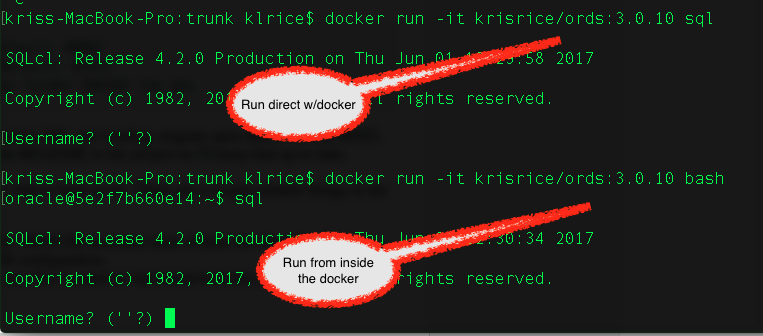
This is how I start the image.

docker run -d -p 8888:8888 -p 8443:8443 --name=ords krisrice/ords:3.0.10


The build

IF the APEX is part of the build and is installing/updating, it will take longer than this.  Here's about 1 minute from nothing to up and running with ORDS and APEX in this docker image.


Thursday, April 13, 2017

ORDS Standalone and URI Rewrites

My last post How to add an NCSA style Access Log to ORDS Standalone explained what the ORDS standalone is and that is based on Eclipse Jetty.  Jetty offers far more than ORDS exposed in it's standalone.  There's a long list of all the features and configuration options listed in the documentation, http://www.eclipse.org/jetty/documentation/9.2.21.v20170120/

A recent question came up for doing URL rewrites.  Jetty does offer this as well.  To take advantage of it the same jetty-http.xml file from my last post just needs a few more lines of xml added.

This example will be just a simple one that rewrites /catalog to /ords/klrice/metadata-catalog/ The better usage of this would be to have / redirect into an APEX application or some home page of the application.

The full list of options are listed in the Jetty Documentation 
http://www.eclipse.org/jetty/documentation/9.2.21.v20170120/rewrite-handler.html


<?xml version="1.0"?>
<!DOCTYPE Configure PUBLIC "-//Jetty//Configure//EN" "http://www.eclipse.org/jetty/configure.dtd">
<Configure id="Server" class="org.eclipse.jetty.server.Server">

<!-- REWRITE -->
  <Get id="oldhandler" name="handler"/>
  <Set name="handler">
   <New id="Rewrite" class="org.eclipse.jetty.rewrite.handler.RewriteHandler">
    <Set name="handler"><Ref refid="oldhandler"/></Set>
    <Set name="rewriteRequestURI"><Property name="rewrite.rewriteRequestURI" default="true"/></Set>
    <Set name="rewritePathInfo"><Property name="rewrite.rewritePathInfo" default="false"/></Set>
    <Set name="originalPathAttribute"><Property name="rewrite.originalPathAttribute" default="requestedPath"/></Set>
   </New>
  </Set>
  <Ref refid="Rewrite">
<!-- REWRITE of /catalog ---- /ords/klrice/metadata-catalog/ -->
<Call name="addRule"> <Arg> <New class="org.eclipse.jetty.rewrite.handler.RewritePatternRule"> <Set name="pattern">/catalog</Set> <Set name="replacement">/ords/klrice/metadata-catalog/</Set> </New> </Arg> </Call> </Ref>
<!-- HTTP ACCESS LOGS -->
  <Ref id="Handlers">
    <Call name="addHandler">
      <Arg>
        <New id="RequestLog" class="org.eclipse.jetty.server.handler.RequestLogHandler">
          <Set name="requestLog">
            <New id="RequestLogImpl" class="org.eclipse.jetty.server.NCSARequestLog">
              <Set name="filename"><Property name="jetty.logs" default="/tmp/"/>ords-access-yyyy_mm_dd.log</Set>
              <Set name="filenameDateFormat">yyyy_MM_dd</Set>
              <Set name="retainDays">90</Set>
              <Set name="append">true</Set>
              <Set name="extended">false</Set>
              <Set name="logCookies">false</Set>
              <Set name="LogTimeZone">GMT</Set>
            </New>
          </Set>
        </New>
      </Arg>
    </Call>
  </Ref>
</Configure>


The result is as expected.  This could be used for anything from shorter REST points like this catalog example or nicer entry points into APEX application.


The example for an APEX URL would be:

<!-- REWRITE of /awesomeapp ---- /ords/f?p=105:2:::::: -->

<Call name="addRule">
 <Arg>
   <New class="org.eclipse.jetty.rewrite.handler.RewritePatternRule">
     <Set name="pattern">/awesomeapp</Set>
     <Set name="replacement">/ords/f?p=105:2::::::/</Set>
   </New>
 </Arg>
</Call>

DB Auditing and ORDS

There seems to be some confusion around how ORDS works with it's connection pooling yet running the REST call as the specified schema.

The connection pool

Consider a 50 PDB env and concurrent users per PDB running some REST stuff.  Using a connection pool per PDB would be 50 connection pools.  Then if a JET app ( or any HTML5/JS/.. ) is making REST calls Chrome will do this with 6 concurrent calls.  This makes it so that as simple as 5 concurrent users * 6 threads in Chrome * 50 PDBs would reach 1500 connections.

For this reason, in a CDB install the connection pool is established as a common user in the CDB names ORDS_PUBLIC_USER.  This allows for common connection pool that can be shared over all 50 PDBs.  As requested finish, the connection can be recycled back for any PDB to service the next request.


What about Auditing 

This is where the confusion begins.  If it's a common connection pool, it's un-auditable. FALSE

I made a trivial REST api that does nothing more than a select on EMP


Then I turned on Auditing of this table with the following


AUDIT SELECT, INSERT, DELETE
     ON klrice.emp
     BY ACCESS
     WHENEVER SUCCESSFUL;
     
Running the REST call and checking the DB level audit results in exactly what is expected.  There's no notion of the common ORDS_PUBLIC_USER anywhere.  The user KLRICE accessed this table making all normal DB auditing work well normal.


Then why all the FUD?

I think the confusion is that APEX using a different mechanism than ORDS for executing the user's sql with the parse_as options.  When run like this the object audit log shows that the common APEX_PUBLIC_USER is the user that accessed the object and the parse_as user of KLRICE in this case is not present.  However, APEX does populate the CLIENT ID so the audit trail has the runtime user that accessed the object.


Thursday, January 12, 2017

How to add an NCSA style Access Log to ORDS Standalone

What ORDS Standalone is


     ORDS Standalone webserver which is Eclipse Jetty, https://eclipse.org/jetty/ .  For the standalone, ORDS sends output to STDOUT, it runs on the command line.  That means there's nothing like a control commands like startup, shutdown,status nor log files, access logs.  It's bare bones intentionally to get up and running fast.  Then it's recommended for anything with lots of volume more to a more full featured webserver like Tomcat or WLS.


Standalone Startup

    With all that said, it is quite simple to use the standalone for most cases.  When doing this the most important thing is just a startup script so that when the machine/db starts the ORDS instance starts also.  There's an init.d script in this blog post that can be used and adjusted as needed : http://krisrice.blogspot.com/2010/12/listener-startupshutdown-script.html


Standalone Access Logs

  The other thing much needed from a standalone instance of ORDS would be an access log to see what it's getting for traffic.  Here's where being Jetty based is a great thing.

  This is documented for some solaris workaround only so probably missed by most.  ORDS Standalone allows for customization of the Jetty server itself.  Looking at the ords configuration directory there's a <path>/standalone.  This will have a file named standalone.properties which looks like this which is the name/value pairs of what ORDS will configure.

#Thu Jan 12 09:56:19 EST 2017
jetty.port=8081
standalone.access.log=/tmp/ords_log
standalone.context.path=/ords
standalone.doc.root=/Users/klrice/workspace_ords_3.0.x/klr_vm_config/ords/standalone/doc_root
standalone.scheme.do.not.prompt=true
standalone.static.context.path=/i
standalone.static.do.not.prompt=true
standalone.static.path=/Users/klrice/workspace/apex_trunk/images

Jetty is configurable by xml documents and the documentation has some really good example of what's possible.  This blog post is going to focus on the Access Log section here: https://eclipse.org/jetty/documentation/current/configuring-jetty-request-logs.html

In that same directory, create a folder named "etc" and in there create a file named "jetty-http.xml" . Then drop this into the file

<?xml version="1.0"?>
<!DOCTYPE Configure PUBLIC "-//Jetty//Configure//EN" "http://www.eclipse.org/jetty/configure.dtd">
<Configure id="Server" class="org.eclipse.jetty.server.Server">
    <Ref id="Handlers">
      <Call name="addHandler">
        <Arg>
          <New id="RequestLog" class="org.eclipse.jetty.server.handler.RequestLogHandler">
        <Set name="requestLog">
          <New id="RequestLogImpl" class="org.eclipse.jetty.server.NCSARequestLog">
        <Set name="filename"><Property name="jetty.logs" default="/tmp/"/>ords-access-yyyy_mm_dd.log</Set>
        <Set name="filenameDateFormat">yyyy_MM_dd</Set>
        <Set name="retainDays">90</Set>
        <Set name="append">true</Set>
        <Set name="extended">false</Set>
        <Set name="logCookies">false</Set>
        <Set name="LogTimeZone">GMT</Set>
          </New>
        </Set>
      </New>
        </Arg>
      </Call>
    </Ref>
</Configure>


Now when ORDS is started again you'll have a file that was specified in the xml file.  This example is  /tmp/ords-access-2017_01_12.log  with an normal NCSA/Apache looking access log.

0:0:0:0:0:0:0:1 -  -  [12/Jan/2017:15:22:32 +0000] "GET /ords/klrice/test/morse?text=de%20n1jlx HTTP/1.1" 200 - 
0:0:0:0:0:0:0:1 -  -  [12/Jan/2017:15:22:33 +0000] "GET /ords/klrice/test/morse?text=de%20n1jlx HTTP/1.1" 200 - 
0:0:0:0:0:0:0:1 -  -  [12/Jan/2017:15:22:33 +0000] "GET /ords/klrice/test/morse?text=3362 HTTP/1.1" 200 - 
0:0:0:0:0:0:0:1 -  -  [12/Jan/2017:15:22:33 +0000] "GET /ords/klrice/test/morse?text=5728 HTTP/1.1" 200 - 
0:0:0:0:0:0:0:1 -  -  [12/Jan/2017:15:22:34 +0000] "GET /ords/klrice/test/morse?text=de%20n1jlx.%29%29%22%29.%28%2C%27%2C HTTP/1.1" 200 - 
0:0:0:0:0:0:0:1 -  -  [12/Jan/2017:15:22:34 +0000] "GET /ords/klrice/test/morse?text=de%20n1jlx%27jSwGPl%3C%27%22%3EbBKXcr HTTP/1.1" 200 - 
0:0:0:0:0:0:0:1 -  -  [12/Jan/2017:15:22:34 +0000] "GET /ords/klrice/test/morse?text=de%20n1jlx%29%20AND%208651%3D9722%20AND%20%289950%3D9950 HTTP/1.1" 200 - 
0:0:0:0:0:0:0:1 -  -  [12/Jan/2017:15:22:34 +0000] "GET /ords/klrice/test/morse?text=de%20n1jlx%29%20AND%203741%3D3741%20AND%20%285130%3D5130 HTTP/1.1" 200 - 
0:0:0:0:0:0:0:1 -  -  [12/Jan/2017:15:22:34 +0000] "GET /ords/klrice/test/morse?text=de%20n1jlx%20AND%204853%3D4504 HTTP/1.1" 200 - 
0:0:0:0:0:0:0:1 -  -  [12/Jan/2017:15:22:34 +0000] "GET /ords/klrice/test/morse?text=de%20n1jlx%20AND%203741%3D3741 HTTP/1.1" 200 - 
0:0:0:0:0:0:0:1 -  -  [12/Jan/2017:15:22:34 +0000] "GET /ords/klrice/test/morse?text=de%20n1jlx%27%29%20AND%201525%3D5863%20AND%20%28%27aKGY%27%3D%27aKGY HTTP/1.1" 200 - 
0:0:0:0:0:0:0:1 -  -  [12/Jan/2017:15:22:34 +0000] "GET /ords/klrice/test/morse?text=de%20n1jlx%27%29%20AND%203741%3D3741%20AND%20%28%27jcNS%27%3D%27jcNS HTTP/1.1" 200 - 
0:0:0:0:0:0:0:1 -  -  [12/Jan/2017:15:22:34 +0000] "GET /ords/klrice/test/morse?text=de%20n1jlx%27%20AND%204691%3D5794%20AND%20%27rhDV%27%3D%27rhDV HTTP/1.1" 200 - 
0:0:0:0:0:0:0:1 -  -  [12/Jan/2017:15:22:34 +0000] "GET /ords/klrice/test/morse?text=de%20n1jlx%27%20AND%203741%3D3741%20AND%20%27FJPb%27%3D%27FJPb HTTP/1.1" 200 - 
0:0:0:0:0:0:0:1 -  -  [12/Jan/2017:15:22:35 +0000] "GET /ords/klrice/test/morse?text=de%20n1jlx%25%27%20AND%206423%3D5178%20AND%20%27%25%27%3D%27 HTTP/1.1" 200 - 
0:0:0:0:0:0:0:1 -  -  [12/Jan/2017:15:22:35 +0000] "GET /ords/klrice/test/morse?text=de%20n1jlx%25%27%20AND%203741%3D3741%20AND%20%27%25%27%3D%27 HTTP/1.1" 200 - 
0:0:0:0:0:0:0:1 -  -  [12/Jan/2017:15:22:35 +0000] "GET /ords/klrice/test/morse?text=de%20n1jlx%20AND%209677%3D8181--%20embz HTTP/1.1" 200 - 
0:0:0:0:0:0:0:1 -  -  [12/Jan/2017:15:22:35 +0000] "GET /ords/klrice/test/morse?text=de%20n1jlx%20AND%203741%3D3741--%20ldng HTTP/1.1" 200 - 
0:0:0:0:0:0:0:1 -  -  [12/Jan/2017:15:22:35 +0000] "GET /ords/klrice/test/morse?text=%28SELECT%20%28CASE%20WHEN%20%284135%3D9257%29%20THEN%204135%20ELSE%204135%2A%28SELECT%204135%20FROM%20INFORMATION_SCHEMA.PLUGINS%29%20END%29%29 HTTP/1.1" 200 - 


Summary

Here's the simple steps:
1- mkdir <ords config directory>/standalone/etc
2- vi jetty-http.xml
3- paste the above xml file and adjust the log location
4- Restart ORDS

Wednesday, November 30, 2016

SQLcl custom Input prompt and validations

Another quick twitter inspired blog post inspired by the SQLcl account itself.


ACCEPT is a great way to get input but validation has to happen elsewhere as there's no hooks to do something like validate a number in a range without running a sql or plsql that does the validation.

As I've covered in many examples on this blog and in our github repo of examples, SQLcl has the ability to do scripting.  Using a few lines of javascript, I can prompt, validate, loop waiting for a better answer from the user.  This is a very simple example that loops waiting for the correct answer printing a message with each failure.  While this is trivial example it shows how easy it could be to have a custom script that prompts for values then with some scripting validate those values and put it into SQLcl's list of variable used for substitutions.


Thursday, November 17, 2016

ECMA Script 6 / Nashorn / Java 9 and SQLcl

This blog post brought to you by the letter M as in Martin .  . He asked me on twitter if SQLcl via Nashorn could use ECMA Script 6 features yet.  The answer is yes.  So, for the brave that want to try out the latest greatest ECMA Script 6 features it can be done with SQLcl.

This is a good reference for what's in version 6 that could be useful.  The only caution is not everything is built into nashorn quite yet.  For Example destructuring is not there.
   http://es6-features.org/#StringInterpolation

The Template Literals are probably to me the most interesting thing since it cleans up all things like string concats and multi line string.


Here's how to get it working:
Step 1: Get Java 9 https://jdk9.java.net/download/
Step 2: Set the enviroment variable : APP_VM_OPTS="-Dnashorn.args=--language=es6"
Step 3: Go.

Complete side note as you can see in my default PS1, apple doesn't and has never understood you don't add an 's to a noun ending in a s.

kriss-MacBook-Pro:bin klrice$ export APP_VM_OPTS="-Dnashorn.args=--language=es6"
kriss-MacBook-Pro:bin klrice$ ./sql klrice/klrice

SQLcl: Release 4.2.0 Production on Thu Nov 17 09:22:35 2016

Copyright (c) 1982, 2016, Oracle.  All rights reserved.

Last Successful login time: Thu Nov 17 2016 09:22:36 -05:00

Connected to:
Oracle Database 12c Enterprise Edition Release 12.2.0.1.0 - 64bit Production

SQL> script /Users/klrice/workspace/raptor_common/examples/sql.js
Using Binds:[object Object]

  ***************************************************************
  *****    SIMPLE LOOP OF LIST OF LIST                ***********
  ***************************************************************
 OBJECT_TYPE    OBJECT_NAME 
 TABLE    EMPLOYEES 


  ***************************************************************
  *****    SIMPLE LOOP OF LIST OF NAMES WITH BINDS     **********
  ***************************************************************
 TABLE    EMPLOYEES  
SQL> 


Now this probably looks just like the script from my first blog on how to use javascript http://krisrice.blogspot.in/2015/10/sqlcl-oct-13th-edition.html


However the script itself is much nicer to read ( to me anyway ) . What will stand out is multi line string with using a back tick.  Also is the evaluating of variables inside the quoted string. No more string concatenations!


Wednesday, November 16, 2016

Import APEX apps now easier with SQLcl

Hopefully by now everyone knows there's the ability in SQLcl to use Javascript and the same javascript can be used to make custom commands extending what SQLcl offers out of the box.

Also, I hope everyone knows we are posting examples of this to github as a base for anyone to learn and try it out.  Just in case here's the link to the GitHub location https://github.com/oracle/oracle-db-tools/tree/master/sqlcl

The last example I did was for ApexExport which took the tried and true ApexExporter java utility that ships with Apex and converted it to JavaScript. http://krisrice.blogspot.com/2016/10/export-apex-application-with-sqlcl.html

One of first questions was from Vito about an import counterpart.


Here's that counterpart which is leveraging apex_application_install for setting options to be used. This screenshot is showing loading the command straight from github which I wouldn't recommend if there is ever a need to be offline using the command.  There's a Download/Clone button right on the github space home page then all the file are local and be used anytime regardless of network connectivity.


When the command is called it echos out all the options being used. In the case of multiple workspaces and none being specified right or wrong it's going to use this sql to determine which to use:
  select min(workspace_id) wsID  from  apex_workspace_schemas where schema = user

If that's not correct, no problems just pass in -workspaceid


KLRICE@orcl >apximp  -file f102.sql -offset 123 -name Kris -alias rice  -installSupportingObjects
*** USING DEFAULT WORKSPACE *** 
*** KLRICE *** 
** Importing with the following options **
Application Alias :rice
Workspace ID :1930920493850173
Application Name :Kris
Offset :123
****


The script is here:

Tuesday, November 15, 2016

SQLcl as a library in existing programs

I got a question over the weekend if SQLcl could be leveraged as library from inside a Jython program. This may seem like it's the same thing as adding jython to SQLcl to use instead of Javascript but it's a significant difference. This method allows for the use of SQLcl in any existing program. That means when the program needs to interact with the database, all the code in SQLcl that is tried and true can be leveraged.

This is a simple example to prove it's possible.  First the jar files need to be added to Jython's command line.

# all files in sqlcl/lib/*
# adjust to your install ( unzip ) of sqlcl
LIB=/Users/klrice/workspace/raptor_common/sqlcl/built/lib/
CP=
for  f in $(ls $LIB/*.jar); do
 echo $f
 CP=$CP:$f
done
echo --- $CP ---

#Start up jython 
jython -J-cp $CP 


Now that the needed libraries are in the path. It's quite easy to start using the same methods and classes that have been shown in various javascript examples.  This example gets a connection on it's own then instantiates SQLcl for programmatic use.


#import various things
from java.sql import DriverManager
from oracle.dbtools.db import DBUtil
from oracle.dbtools.raptor.newscriptrunner import *

#plain ol jdbc connection
conn  = DriverManager.getConnection('jdbc:oracle:thin:@//localhost:1521/orcl','klrice','klrice');

#get a DBUtil but won't actually use it in this example
util  = DBUtil.getInstance(conn);

#create sqlcl
sqlcl = ScriptExecutor(conn);

#setup the context
ctx = ScriptRunnerContext()

#set the context
sqlcl.setScriptRunnerContext(ctx)
ctx.setBaseConnection(conn);

#change the format
sqlcl.setStmt('set sqlformat json');
sqlcl.run();

#run the sql
sqlcl.setStmt('select * from emp');
sqlcl.run();


The output of this is simply the json output.


Monday, November 14, 2016

Adding Reserved command in SQLcl


I saw Stephen's example of checking reserved words in the database from Vertan's day and figured I'd do the same in SQLcl.


Checked if something is reserved seems like a nice add on for the tooling.  This example adds a SQL>reserved command that checks all words passed to see if they are in the single source of truth which is v$reserved_words


The outcome is something like this.


The code is in the normal location on github.  It follows the same CommandRegistry/CommandListener that was used in lots of the previous examples.


Monday, October 10, 2016

Export APEX application with SQLcl


APEXExport has been around a long time for exporting an application and anything else like images, feedback,websheets,.. into a file system so that they can be version controlled.  This is a must if there is ever a need to rollback or see what the application was X days ago.  This is a java program that is part of the apex distribution.  The catch for some folks is that it's a java program and being mostly DB / APEX / PLSQL people java isn't something that's normally done which makes it a tad cumbersome.


Now, enter my long flight today with nothing much to do.


SQLcl and Javascript


There's not much that can't be done with SQLcl and Javascript.  Here's the latest example that is probably the most useful example for anyone using APEX.

The benefit is that this is just a command in SQLcl just like the new INFO command or the DESC or anything else.  Just another command for developers to use.  I took the existing APEXExport which was all java around 800+ lines of code and rewrote into javascript which cut the size in half!  The reason for this is that as a java program the APEXExport had to create a connection, take db username|password|tns.  Then it also had to deal with the low lever database calls for looping resultsets and closing them after.

Just as an example, here's the normal JDBC vs SQLcl way to get a single column from a single row into a variable to use.

PreparedStatement stmt = conn.prepareStatement("select user from dual");
            ResultSet rset = stmt.executeQuery();
            rset.next();
            String userName = rset.getString(1);
            rset.close();
            stmt.close();

VS

var user = util.executeReturnOneCol('select user from dual');


To load this just grab the script from github and load it into SQLcl. Once this is done SQLcl will now have the "apxexp" command.  This is a first pass as the port of the code.  If anyone finds an issue, log a ticket or just ping me on twitter @krisrice

SQL>script apxexp


Next I'll port the APEXExportSplitter over.


Wednesday, September 28, 2016

ORDS 3.0.7 more secure by default

Defaulting  PL/SQL Gateway Security


Oracle REST Data Services 3.0.7 went out yesterday.  There's an important change that went in to better secure installations by default.  It has always been the case that we recommend customers set the validations for the plsql gateway.  There has always been a validation configuration option to lock down what procedures are accessible which was outlined in this blog post http://krisrice.blogspot.com/2013/01/apex-listener-plsql-validations.html


The change is that starting in this patch when the plsql gateway is enabled AND the db username is APEX_PUBLIC_USER, ORDS setup will add in the configurations setting  security.requestValidationFunction  to be set to the apex security procedure  WWV_FLOW_EPG_INCLUDE_MODULES.AUTHORIZE


Customized PL/SQL Gateway Security

This is just a defaulted settings so if you have a custom procedure just edit the file as normal. Alsoin the blog post that describes how this works there are new features over this basic procedure approach such as binding values like flow_id ( app id ), flow_setup_id ( page id ).  The uses of this are you could have one install of ORDS that is external facing and expose only one set of applications based on the APEX application ID. Then an internal ORDS setup that doesn't limit at all to have intranet applications all hosted out of one production database.

There's also the ability to use javascript for securing the PL/SQL gateway which has been around since version 2.0.  The main benefit with this approach is there doesn't have to be a trip to the database to exec a plsql procedure.  That means ORDS can stop a request before the database is ever called in any capacity.  The variables available for this are outlined in this blog post: http://krisrice.blogspot.com/2012/12/apex-listener-20.html


Here's the note in the README


Important Changes to Note

APEX_PUBLIC_USER & wwv_flow_epg_include_modules.authorize

In line with security best practice and as recommended by the Oracle Application Express Documentation when a database pool is configured to use the APEX_PUBLIC_USER, Oracle REST Data Services will automatically set the value of thesecurity.requestValidationFunction setting to be:
    WWV_FLOW_EPG_INCLUDE_MODULES.AUTHORIZE
  
This activates the white list of callable procedures which ships with Oracle Application Express and prohibits calls to other procedures. Please consult the Oracle Application Express Documentation for more information about this procedure and how to customize it's behaviour.

Wednesday, June 22, 2016

Kill DB sessions the easy way with SQLcl

Seems I can not tweet these animated GIFs anymore. So this is another very short blog post to show real case for adding a new command into SQLcl which can be downloaded here.

It's hard annoying tedious to find SID and SESSION then alter to kill that when needed.  What if there was a simple kill command.

Here a sample one that takes in the 2 options:
  kill sid serial#
  Example :   kill 1 2
OR
  kill USERNAME
  Example: kill KLRICE


Thursday, June 16, 2016

SQLcl and Query Change Notification

The database has had Query Change Notification for a while but to use it required a custom program. Such as Tim outlines on his blog https://oracle-base.com/articles/10g/dbms_change_notification_10gR2


Since SQLcl has Nashorn, now it can be integrated with a few lines of javascript to get notified when changes happen.  The script is below and posted.  The catch is QCN only works on Varchars and Numbers.


Monday, March 14, 2016

ORDS and PL/SQL

Seems I've never posted about PL/SQL based REST endpoints other than using the OWA toolkit.  Doing the htp.p manually can give the control over every aspect of the results however there is an easier way.

With PL/SQL based source types, the ins and outs can be used directly without any additional programming.  Here's a simple example of an anonymous block doing about as little as possible but should get the point across of what's possible.

The interesting part is on the Parameters tab.  There is where to define the IN , OUT, or IN/OUT.  These are a INs can be from the URI or from the HTTP Header.  This means if you want USER_AGENT to be useful in the the plsql block just define it and assign it to a bind variable.  Here is the :ct and :myval being defined.  The :ct is bound to the HTTP HEADER Content-Type.  The :myval is bound to RESPONSE. More robust support for UDTs is in the works.


Hopefully, this is no surprise as to what the output looks like.


Friday, March 04, 2016

DIY SQCL Commands


As mentioned once or twice or 100 times, sqlcl exposes javascript scripting with nashorn to make things very scriptable.  To learn more on Nashorn itself there's a lot of great write ups such as http://www.oracle.com/technetwork/articles/java/jf14-nashorn-2126515.html  So far, the scripting examples have been along the lines of conditional or looping of existing sqlcl commands.

Here's an example of creating a brand new command only from javascript.  This is a pretty simple one that for ALL command will snapshot the start time and print the elapsed time.  It also adds the new command "kris".

Just to show this is really nothing that new to sqlcl, here's a blog post from 2006 about how to make a Java based CommandListener in SQL Developer. This hasn't changed since then.

This all adds up to if we forget to add some feature, you want to override a command, perform something before or after commands, it's very simple to DIY your sqlcl.


// SQLCL's Command Registry
var CommandRegistry = Java.type("oracle.dbtools.raptor.newscriptrunner.CommandRegistry");

// CommandListener for creating any new command
var CommandListener =  Java.type("oracle.dbtools.raptor.newscriptrunner.CommandListener")

// Broke the .js out from the Java.extend to be easier to read
var cmd = {};

// Called to attempt to handle any command
cmd.handle = function (conn,ctx,cmd) {
   // Check that the command is what we want to handle
   if ( cmd.getSql().indexOf("kris") == 0 ){
       ctx.write("Hi Kris, what up?\n");

       // return TRUE to indicate the command was handled
       return true;
    }
   // return FALSE to indicate the command was not handled
   // and other commandListeners will be asked to handle it
   return false;
}

// fired before ANY command
cmd.begin = function (conn,ctx,cmd) {
   var start = new Date();

   // stash something for later like the start date
   ctx.putProperty("cmd.start",start);
}

// fired after ANY Command
cmd.end = function (conn,ctx,cmd) {
   var end = new Date().getTime();
   var start = ctx.getProperty("cmd.start");
   if ( start ) {
      start = start.getTime();
      // print out elapsed time of all commands
      ctx.write("Elapsed Time:" + (end - start) + "\n");
   }
}

// Actual Extend of the Java CommandListener

var MyCmd2 = Java.extend(CommandListener, {
        handleEvent: cmd.handle ,
        beginEvent:  cmd.begin  ,
        endEvent:    cmd.end
});

// Registering the new Command
CommandRegistry.addForAllStmtsListener(MyCmd2.class);